
-
 7 min
Build an AI recruiter that recruits like you
For everyone
-
 4 min
Now playing
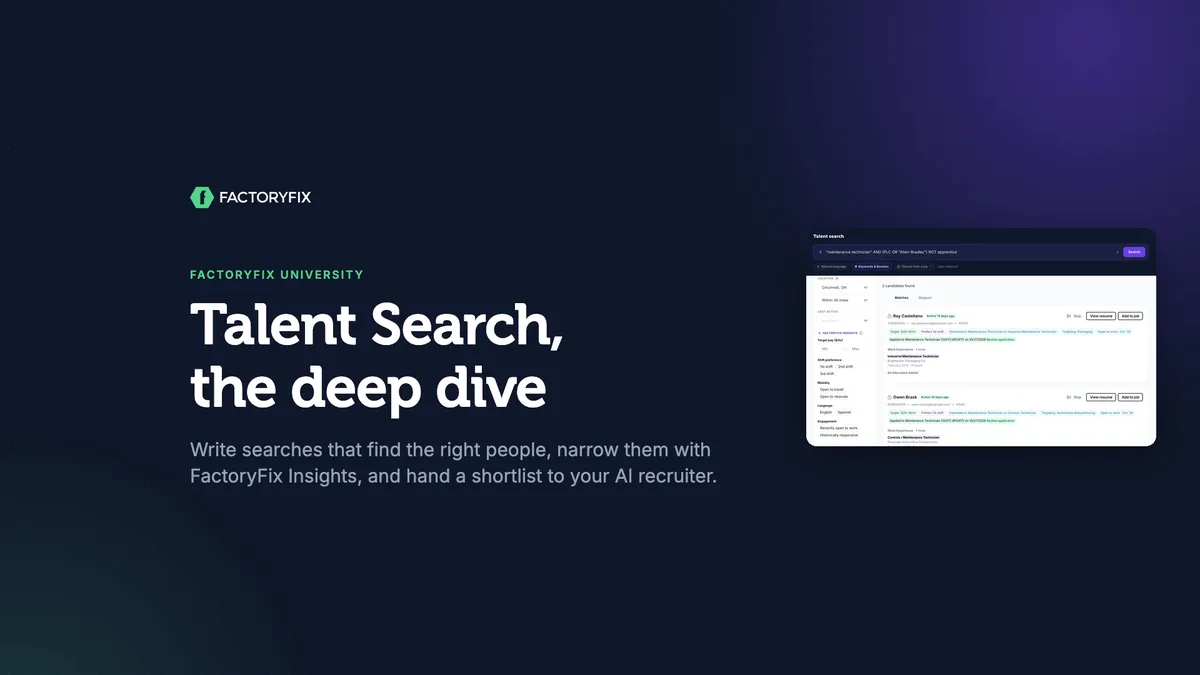
Talent Search, the deep dive
For everyone
-
 4 min
Automated interview scheduling
For everyone
-
 4 min
Labor market data for manufacturers
For manufacturers
-
 5 min
Labor market intelligence for staffing firms
For staffing firms
Job boards only reach people who are looking. Talent Search reaches over 11 million skilled workers, including the ones who aren't. Anyone on your account can search, but unlocking someone's contact details is a Gold feature.
Start with natural language
Type what you want the way you'd say it to a recruiter. FactoryFix turns it into filters for you, marks each inferred filter with a sparkle, and lets any filter you set yourself win.
| Try | What FactoryFix does |
|---|---|
maintenance technician near Cincinnati |
Fills in the location and radius |
maintenance techs within 20 miles of Cincinnati with PLC experience, active in the last 30 days and open to work |
Sets the radius, recent activity and open to work, and keeps PLC experience in the search |
technicians from Tri-State Automotive or Riverside Automotive near Cincinnati |
Past employers are searchable, so you can just name your competitors |
For most searches, plain English is all you need. Either way, FactoryFix searches job titles, past employers and the full text of each resume.
Search from a job skips the typing: pick the job and it searches with the whole job description, around the job's location. The best fit gets a Top match badge.
Boolean tips, if you're already a pro
Choose Keywords & Boolean, for example "maintenance technician" AND (PLC OR "Allen-Bradley") NOT apprentice.
- Write AND, OR and NOT in capitals, so FactoryFix knows it's a Boolean search.
- Without operators, words are treated as OR.
PLC electricalfinds either word, so the search gets wider, not narrower. - Quotes on their own still mean OR. Put AND between the phrases you need together:
"preventive maintenance" AND PLC.
Narrow it down with FactoryFix Insights
Filter by:
- target pay
- shift preference
- mobility (open to travel or relocate)
- language
- engagement (recently open to work, historically responsive)
Then:
- Click Apply. Filter changes don't do anything until you do.
- Check for missing information. People with no information for a filter are left out unless you check Include candidates with no … information.
Hand off a shortlist to your AI recruiter
- Check the candidates you want, then click Add to Job. Locked candidates are unlocked first.
- If someone already has recent activity with your company, you'll see a warning first, so you can decide whether to include them.
- Choose the job and keep Let your AI recruiter handle outreach switched on. Your AI recruiter messages each person about the role and assesses their fit, and they show up in Sourcing. Outreach is queued, so it may not start immediately.
Good habits
- Skip people you've ruled out. They move to the Skipped tab, out of your matches.
- Read each card's history to see who's already applied or been added to a job.
- Bookmark a search's page to run it again later.
- Look someone up by name in the Candidate Archive, not in Talent Search.
Watch for these
- A state on its own isn't a location. Use a city or a ZIP code.
- Within 100+ miles means 100, not unlimited.
- Rerunning a recent search doesn't bring back filters you set by hand.
Before your next search
- What are the true must-haves?
- Where do these people work today?
- Which insights matter for this role?
- Who should your AI recruiter reach out to?
Chapters
- 0:00 Introduction
- 0:13 Why Talent Search
- 0:27 Natural language
- 1:08 Search where your competitors are
- 1:18 Boolean, for pros
- 1:58 Search from a job
- 2:09 FactoryFix Insights
- 2:30 Hand off a shortlist
- 2:58 Good habits
- 3:16 Common mistakes
- 3:31 Before your next search
Transcript
Talent Search, the deep dive. In about four minutes, you'll learn how to write searches that find the right people, narrow them down with FactoryFix Insights, and hand a shortlist to your AI recruiter.
Job boards only reach people who are looking. Talent Search reaches over eleven million skilled workers, including the ones who aren't. Anyone can search. Unlocking someone's contact details is a Gold feature.
Start with natural language. Type what you want the way you'd say it, like maintenance technician near Cincinnati. It reads your search and fills in filters for you, like the location and radius. A sparkle marks each one it inferred, and any filter you set yourself wins. And it understands much more than a title and a place. Try something like: maintenance techs within twenty miles of Cincinnati with PLC experience, active in the last thirty days, and open to work. It turns that into filters for you: the radius, recent activity, and open to work, and it keeps PLC experience in the search itself. For most searches, plain English is all you need.
Past employers are searchable too, so you can simply ask for people who've worked at your competitors, like technicians from Tri-State Automotive or Riverside Automotive near Cincinnati.
And if you're already a Boolean pro, switch to keywords and Boolean. Use quotes for exact phrases, and AND, OR, and NOT in capital letters. Either way, it searches job titles, past employers, and the full text of each resume, so a skill buried in a resume still counts. Here are three tips for Boolean. Write AND, OR, and NOT in capitals, so FactoryFix knows it's a Boolean search. Without them, words are treated as OR, so the search gets wider, not narrower. And quotes on their own still mean OR. Put AND between the phrases you need together.
Or skip the typing. Click Search from a job, and pick the job. It searches with the whole job description, around the job's location, and the best fit gets a Top match badge.
Then narrow it down with FactoryFix Insights: target pay, shift, travel or relocation, language, and how responsive someone has been. Pick second shift, and click Apply. Filters don't change anything until you do. And people with no shift information are left out, unless you check the box to include them.
Now hand off a shortlist. Check the people you want, and click Add to Job. Locked candidates are unlocked first. If someone already has recent activity with your company, you'll see a warning first, so you can decide whether to include them. Choose the job, and keep Let your AI recruiter handle outreach switched on. It messages each person about the role, assesses their fit, and they show up in Sourcing.
A few habits keep your searches clean. Skip people you've ruled out, and they move out of your matches. Check each card's history, to see who's already applied or been added to a job. Bookmark a search's page to run it again later. And to look someone up by name, use the Candidate Archive.
And watch for these. A state on its own isn't a location, so use a city or a ZIP code. Within a hundred plus miles means a hundred. And rerunning a recent search doesn't bring back filters you set by hand.
Before your next search, ask four questions. What are the true must-haves? Where do these people work today? Which insights matter for this role? And who should your AI recruiter reach out to? Search like a recruiter, and let your AI recruiter do the outreach.
That's this session of FactoryFix University. Find more sessions in the help center.